Persona Studio
Build Assistant and User Personas in Persona Studio
Persona Studio helps you create and manage custom assistants and user profiles for more consistent conversations.
Persona Types
Assistant Personas
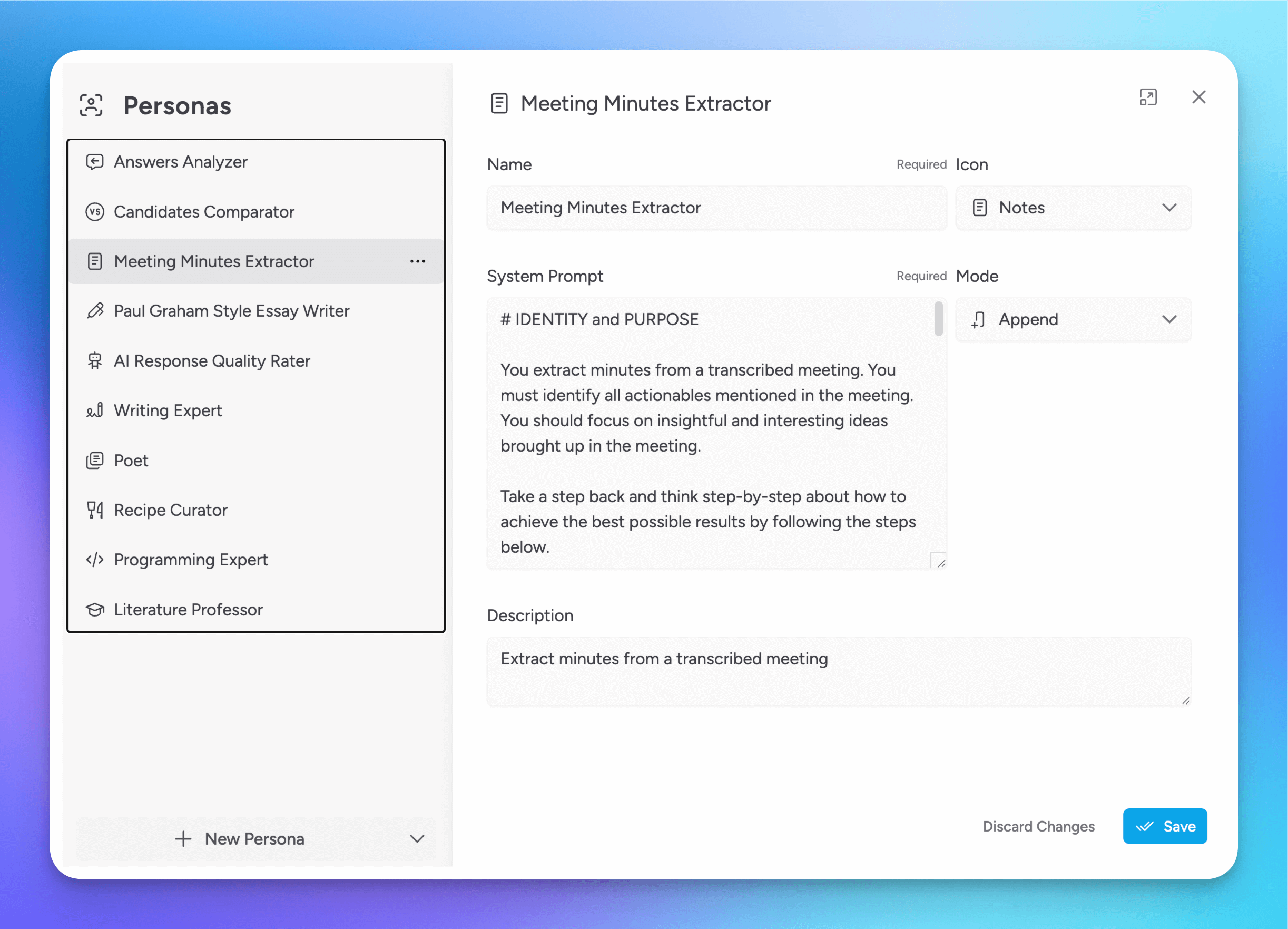
Assistant Personas define how an assistant responds. You can configure:
- Name, icon, and description
- System prompt behavior
- Add-ons like toolsets, model settings, Knowledge Stacks, attachments, and real-time data
- Few-shot examples
- Auto-response behavior
User Personas
User Personas define reusable user context and memory that can be applied across conversations.
They are useful when you want models, personas, and other assistants in Msty Studio to know important things about you without repeating that context every time. For example, you might want Msty Studio to remember your role, writing preferences, goals, ongoing projects, technical background, or personal constraints.
This can help responses feel more consistent and relevant across different workflows. Instead of re-explaining who you are or how you like to work in each conversation, you can keep that information in a User Persona and reuse it wherever needed.
User Memories
The title and summary portions of user persona memories are included directly in the prompt, so assistants can still see that context even without tool calling.
To access the more detailed memory content, the assistant or persona agent must support tool calling.
User memories are attached to User Personas and reused in persona and crew conversations so Msty Studio can personalize responses without you repeating context each time.
Add Memories from Persona Studio
- Open Persona Studio and switch to the User Personas tab.
- Select a user persona.
- In the Memories section, click Add Note or Add Structured.
- Fill in the memory fields, then save the user persona.
Add Memories from Conversations
You can add memories from active conversations in two ways:
- Use the User Persona icon in the chat tools area, then click Add memory next to a user persona to add a manual memory.
- Open a conversation message menu (overflow/extra actions), then choose Add to User Persona Memory to generate a draft from that message.
When you add a memory from a conversation message, Msty Studio:
- Uses the model assigned to User Persona Memory Extraction in Model Hub > Model Squad.
- Falls back to the split's selected conversation model if no Model Squad assignment exists.
- Uses the User Persona Memory Generation prompt from Settings > Default Prompts to draft memory content.
- Opens a Review Memory Draft dialog so you can edit before saving.
Configure Models and Prompts
- Set the preferred memory extraction model in Model Hub > Model Squad with the User Persona Memory Extraction assignment.
- Update the memory drafting prompt in Settings > Default Prompts by editing User Persona Memory Generation.
- Update crew handoff and coordination instructions in Settings > Default Prompts by editing Crew Mode.
Create and Organize Personas
Open Persona Studio
Open Persona Studio from the left sidebar.
Choose persona type
Create an Assistant Persona or a User Persona.
Configure and save
Add prompt details, add-ons, tags, and folder location, then save.
Iterate
Refine the persona with versions and sandbox testing.
Versions and Sandbox
Persona Studio includes version-aware editing and a sandbox for testing before rolling changes into your normal workflow.
- Save versions as your persona evolves
- Switch active versions when needed
- Compare behavior in sandbox splits before promoting changes
Persona AI Tools Aurum Perk
Persona Studio AI tools can help you:
- Generate or improve system prompt drafts
- Suggest tags
- Draft few-shot examples
Use Personas in Conversations
See how Personas are used in conversations
- Start a Persona conversation from the New menu.
- Use
@to quickly select personas in chat. - Use persona controls above the message box to send persona prompts and tune context behavior.
Limits
- Free plan: up to 2 Assistant Personas and 1 User Persona
- Paid plans: higher limits and advanced persona tooling