
Keyboard Shortcuts
Customize keyboard controls in Msty Studio
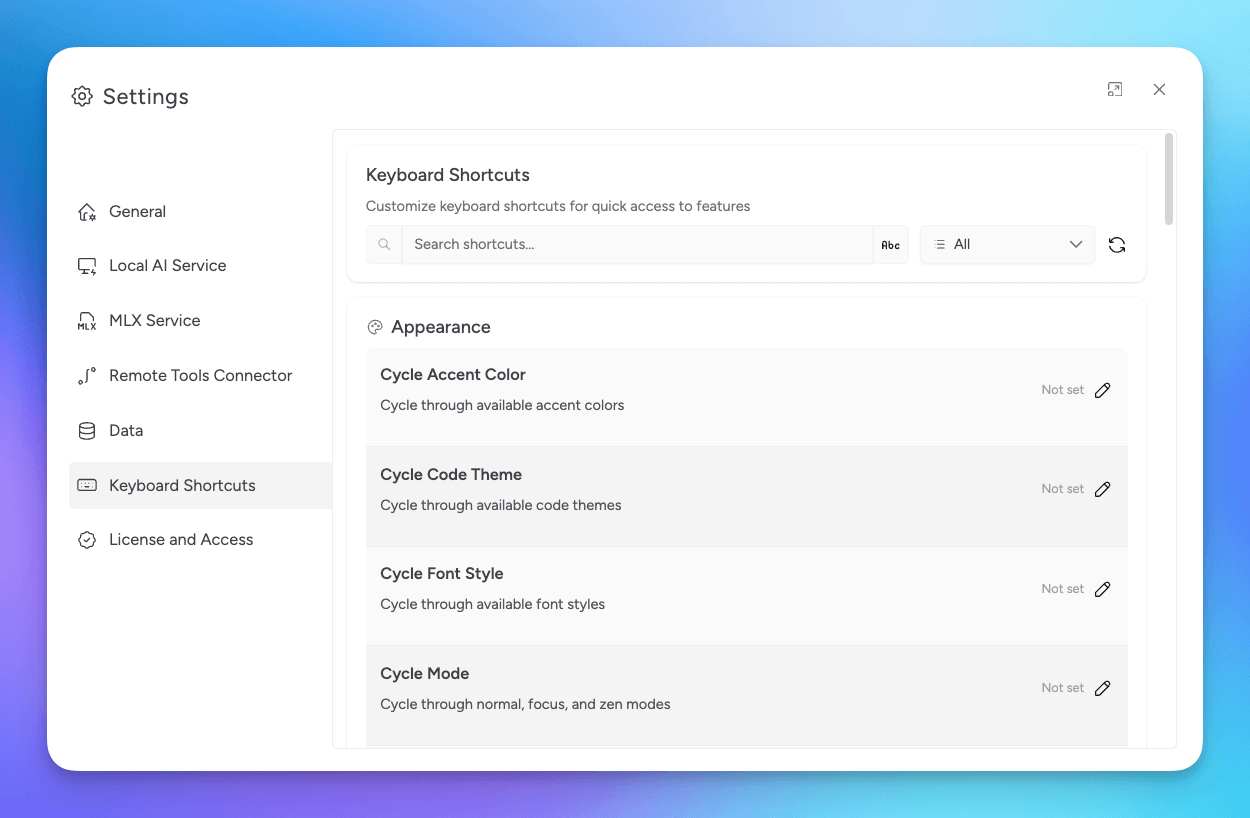
Keyboard shortcuts help you move through Msty Studio faster.
You can manage them in Settings > Keyboard Shortcuts.
Useful Defaults
Cmd/Ctrl + Kopens Command PaletteCmd/Ctrl + Nstarts a new conversationCmd/Ctrl + Tadds a split chatCmd/Ctrl + 1toggles the sidebarCmd/Ctrl + 8toggles the workspace trayCmd/Ctrl + ,opens settingsCmd/Ctrl + Shift + Fopens conversation searchCmd/Ctrl + Wenters split removal mode
Command Palette Shortcut
Command Palette is the fastest way to run actions by name.
- Press
Cmd/Ctrl + K - Type the action you want
- Press
Enterto run it
Vim Motions (Agent Mode)
If Vim Mode is enabled in Settings > Agent Mode, you can use:
ggto jump to the startGto jump to the end
Shiftcuts
Shiftcuts are quick actions triggered by pressing Shift twice, then a key.
tcreates a new split chat tabncreates a new conversation1toggles the sidebareopens quick environment variable selection
Disable Shiftcuts
Open Keyboard Shortcuts
Go to Settings > Keyboard Shortcuts.
Disable Shiftcuts
Turn off the Shiftcuts toggle at the top of the page.
Studio Web behavior can depend on your browser shortcut rules.
Related Resources
Videos
