Media Studio
Create and refine images and videos with context-aware generation workflows
Media Studio is a dedicated session type for creating images and videos with persistent context, history, and comparison tools.
Start a Media Session
Create a new session
From New, choose New Media Session.
Start from an existing attachment
Use Open in Media Studio from message attachments, or Start New Media Session from Attachment Manager.
Configure and generate
Enter a prompt, choose an image/video model, set outputs per run, then generate.
Context Workflow
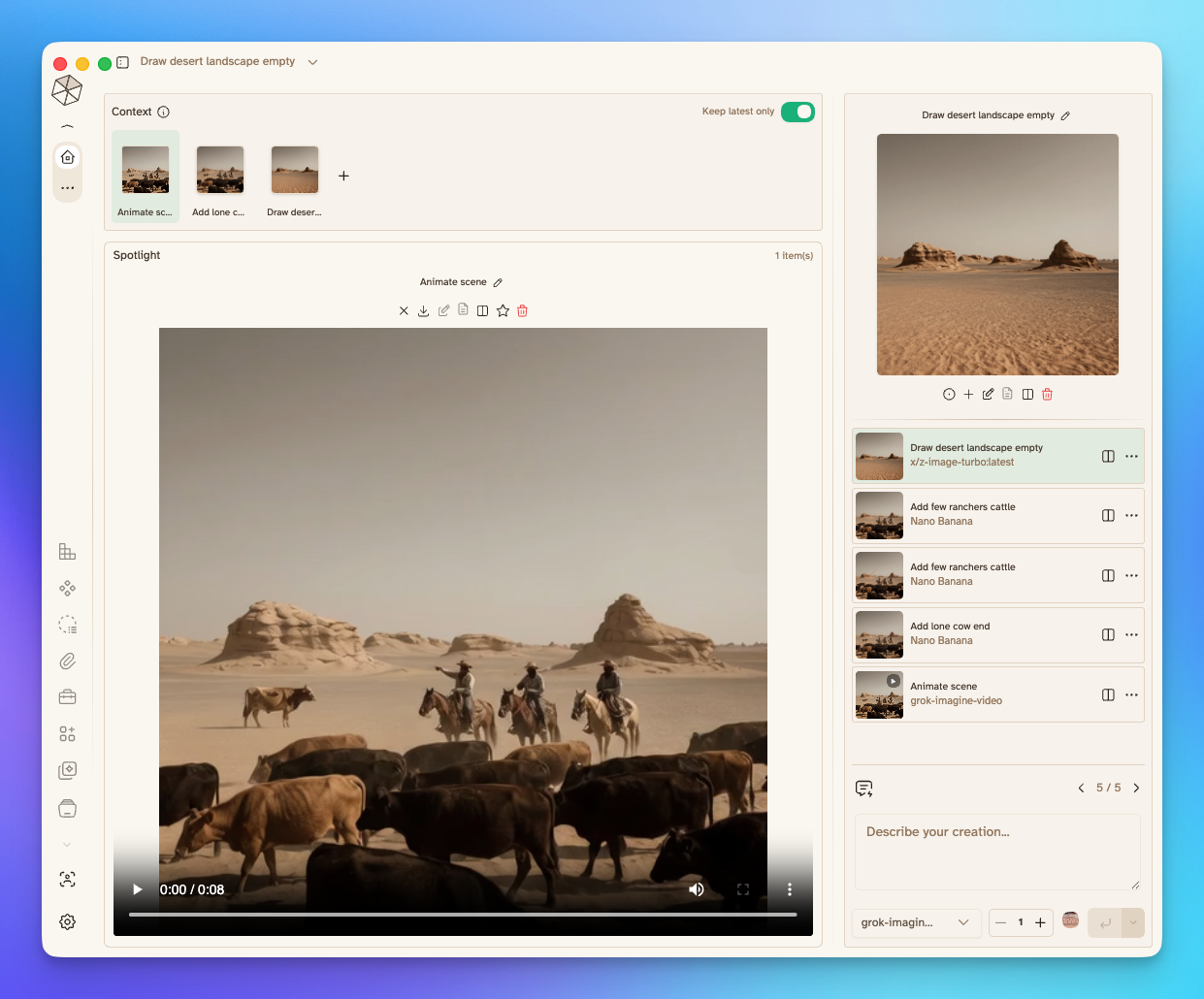
- Add context by drag-and-drop, paperclip, or screenshot capture.
- Move items between Context, Spotlight, and Compare.
- Enable Keep latest only to retain just the newest generated media in context after each run.
- Images, videos, and documents can be attached as context references.
Generation Workflow
- Select from media-capable models configured in Model Hub image generation.
- Set how many outputs to generate per run.
- Star a model to keep it as your Media Studio default.
- If no media models are configured, Media Studio offers a direct path to Model Hub.
Spotlight, History, and Compare
- Spotlight is your main working canvas for selected outputs.
- History stores generated outputs for quick reuse and navigation.
- Compare lets you review up to 3 outputs side by side.
- Each history item supports fast actions such as:
- Add to Spotlight
- Add to Context
- Compare toggle
- Download
- Rename title
- Delete
Editing and Iteration
- Use Edit Image on image outputs to annotate and save a new version.
- Edited versions are added back to history and can be reused as fresh context.
- Prompt history is saved in-session so you can iterate quickly on prior prompts.
Video Support
Video generation in Media Studio currently supports xAI and Google Veo models.